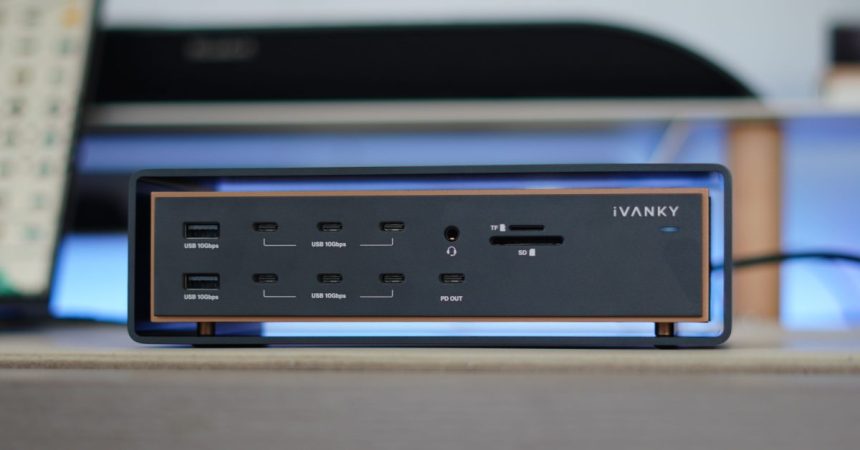
Docking stations tend to fight the same battle: cram in as many ports as possible and hope the bandwidth holds up. The iVANKY FusionDock Ultra — full name the 26-in-1 FusionDock Ultra — flips that logic. Yes, it packs a ridiculous 26 ports, but the real headline is what happens when you push all of them at once.
At its core sits a dual 80/120Gbps silicon architecture, delivering between 80 and 120Gbps of raw Thunderbolt 5 bandwidth. That’s the kind of headroom you need when a professional workflow refuses to slow down — multiple high-resolution displays, fast external SSDs, NAS transfers and full MacBook Pro performance all running simultaneously without the dock buckling.
Display support is where the FusionDock Ultra really flexes. It can drive two 8K@60Hz monitors or four 6K@60Hz displays at the same time, which is comfortably beyond what most desktop docks will attempt. For creative pros juggling timelines, color grading and reference panels, that headroom matters.
Connectivity rounds out nicely:
- Four dedicated 80/120Gbps USB-C downstream ports for high-speed peripherals
- A 10Gbps RJ45 Ethernet port for wired networking and quick NAS access
- 140W Power Delivery (PD 3.1) over the upstream port, enough for full-speed fast charging of a 16-inch MacBook Pro
iVANKY also thought about the physical connection. The FusionDock Ultra ships with dual Thunderbolt 5 cables featuring magnetic connectors — a small touch that makes docking and undocking cleaner, and reduces wear on your ports over time.
What sets this dock apart isn’t any single spec, but the promise of sustained reliability under heavy load. Plenty of docks look great on a spec sheet and then throttle the moment you chain a couple of 8K panels to a busy SSD array. Building around dual-silicon Thunderbolt 5 bandwidth is iVANKY’s way of saying the FusionDock Ultra won’t be the bottleneck in your setup.
The FusionDock Ultra is available now, priced at US$649.99 (£495.00). That’s firmly in premium territory, but it’s aimed squarely at power users whose time — and downtime — costs more than the dock itself. If your desk regularly hosts a MacBook Pro, several displays and a wall of storage, this is the kind of hardware built to keep pace rather than hold you back.