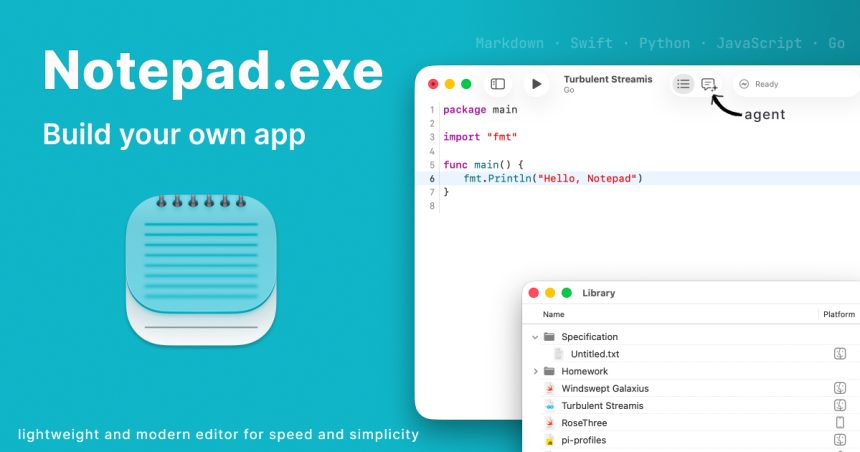
Every developer knows the ritual: you have a quick idea, you fire up your editor, and then you spend the next ten minutes creating a project, picking a folder, wading through menus and configuration prompts before you can type a single line. Notepad.exe throws that workflow out the window. Built by developer Marcin Krzyzanowski, this native macOS code editor starts you off with a blank file and lets you worry about the project structure later — or never.
The philosophy is refreshingly simple: get the idea onto the screen first. That makes it ideal for scratchpad experiments, quick scripts, and those moments when inspiration strikes and you don’t want friction between your brain and your keyboard.
Despite the throwback name, this is a genuinely modern tool. The interface feels distinctly native, taking cues from Xcode but leaving the bloat behind. And it really is lightweight — the download weighs in at less than 40MB and settles at around 80MB once installed, a rounding error next to the heavyweight IDEs many of us tolerate daily.
Out of the box, Notepad.exe understands the languages people actually reach for on a Mac:
- Swift
- Python
- JavaScript
- TypeScript
- Go
There’s also a built-in coding assistant with the wonderfully theatrical name Doctor Marvin, on hand to help when you get stuck without dragging you off to a separate window or service.
Getting it is easy. You can grab it directly from notepadexe.com, or if you live in the terminal, a quick brew install notepadexe via Homebrew does the job.
The core experience is free, which is more than enough for anyone who just wants a fast, distraction-free place to write code. If you want more, Notepad.exe Pro runs $19.99/year, or you can buy a perpetual license covering all updates within version 1.x for a one-time $45.
In a landscape crowded with editors that demand you commit to their way of working before you’ve written anything, Notepad.exe’s blank-page-first approach is a small but genuinely welcome rebellion. Sometimes you don’t want a project. You just want to write.