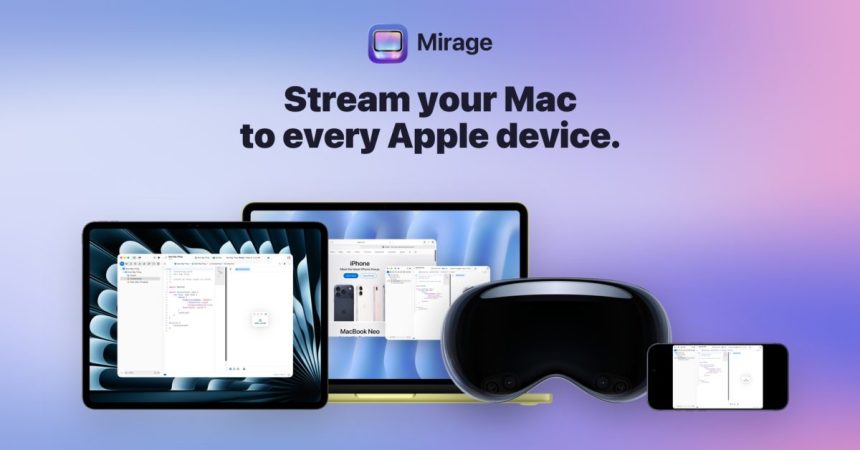
If you’ve ever wished your Mac could simply appear on whatever Apple device happens to be in your hand, Mirage is the app that makes it happen. Built by indie developer Ethan Lipnik, it brings low-latency wireless screen sharing to the entire Apple ecosystem — streaming from your Mac to an iPhone, iPad, Vision Pro, or even a second Mac.
The headline feature is image quality. Mirage delivers your Mac display in Retina quality, and on ProMotion iPads it pushes all the way up to 120fps. That’s a meaningful difference from the stuttery, soft-edged remote desktop tools many of us have suffered through. Pair an iPad with a Magic Keyboard and you’ve got a touch-and-type window into your Mac; throw in Apple Pencil support and the iPad becomes a genuinely usable input surface rather than a passive screen.
What makes it more than a novelty
- Mac-to-iPad streaming with full Magic Keyboard and Apple Pencil support
- USB-C cable support for 5K iMac streaming when you want a wired, rock-solid connection
- Remote connections handled through Tailscale VPN, so you’re not limited to the same room or the same Wi-Fi
- Cross-device flexibility across iPhone, iPad, Vision Pro and Mac
That Tailscale integration is the quietly clever bit. Rather than fiddling with port forwarding or sketchy relay servers, Mirage leans on a modern mesh VPN to reach your Mac from anywhere — which turns “remote desktop” from a chore into something you’d actually use day to day.
Mirage launched on June 20, 2026, and is available now on the App Store. It does require iOS 26 or later, so you’ll need to be running current software across your devices to get it working.
Pricing
There’s a free tier, though it’s limited to local network streaming — fine for sending your Mac to an iPad across the desk, but not for reaching home from the office. The full experience lives behind Mirage Pro, which costs US$4.99 per month or US$39.99 per year. If subscriptions make you twitch, there’s also a US$119 lifetime purchase that unlocks everything outright.
For anyone juggling multiple Macs, working from an iPad, or simply trying to get more out of a Vision Pro, Mirage looks like one of the more polished takes on Apple-ecosystem screen sharing we’ve seen — and the kind of focused indie tool that does one job exceptionally well.