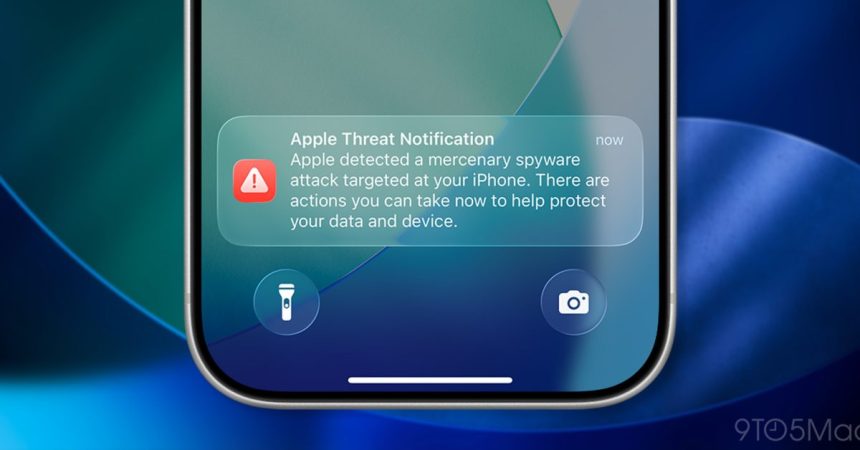
Apple has fired off a fresh round of threat notifications, warning users across 110 countries that they may have been singled out by what it calls a “mercenary spyware attack.” The company confirmed the campaign to TechCrunch but declined to say exactly how many people were contacted — a deliberate move, since revealing numbers could tip off the attackers.
This isn’t a one-off. With this latest wave, Apple has now alerted users in more than 150 countries over the past few years. For context, just over a year ago the company sent warnings to users in 100 countries whose iPhones had been targeted, and later confirmed it had flagged more than a dozen Iranian cyberattack victims ahead of the war with Israel.
Mercenary spyware is a different beast from the malware most people worry about. These are expensive, highly targeted tools — often sold to governments — aimed at journalists, activists, diplomats and executives rather than the general public. Apple is blunt about this: it says the vast majority of users “will never be targeted by mercenary spyware.”
Alongside the notifications, Apple published a new support article, “About Apple threat notifications and protecting against mercenary spyware,” explaining how the alerts work and what to do if one lands on your device. If you receive one, the company recommends enabling Lockdown Mode — a stripped-down security setting that disables the attack surfaces these tools tend to exploit — and enlisting expert help. Apple points specifically to the Digital Security Helpline run by the nonprofit Access Now, available 24/7, which can offer tailored advice even though outside organizations have no insight into what triggered a given alert.
For everyone else, Apple’s guidance is refreshingly ordinary — the kind of hygiene that quietly blocks the overwhelming majority of attacks:
- Update your devices to the latest software, which includes the newest security fixes.
- Protect your devices with a passcode, Touch ID, or Face ID.
- Use two-factor authentication and a strong password for your Apple Account.
- Turn on Stolen Device Protection.
- Install apps only from the App Store.
- Use strong, unique passwords online — and passkeys where they’re available.
- Don’t open links or attachments from unknown senders.
The recurring nature of these waves says something about the state of the surveillance-for-hire industry: it’s persistent, well-funded, and global. Apple’s threat notification program won’t stop the tools from existing, but it does give targets a fighting chance to lock down before the damage is done — and a starting point for figuring out who’s watching.