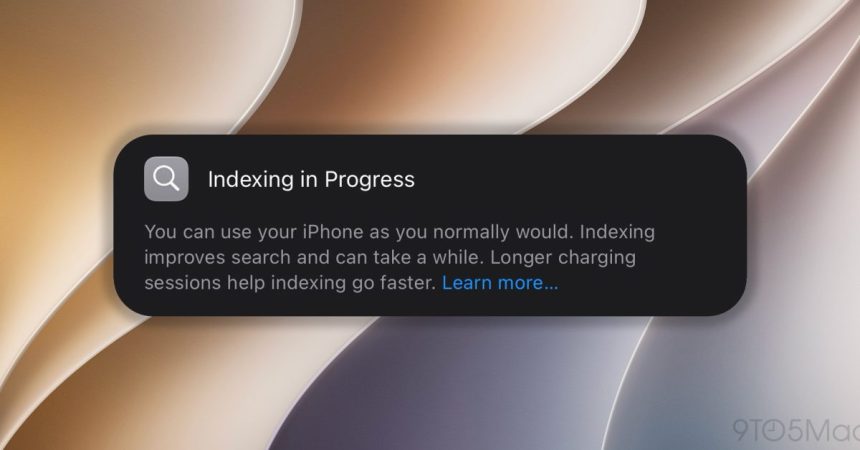
Search is only as good as the catalog behind it, and Apple has just spelled out how to keep that catalog building at full speed. In a new support document published on August 26, 2026, the company explains how the reworked Spotlight indexing works across its devices — and lists three simple conditions that help the process wrap up sooner.
The context here is the upcoming wave of releases: iOS 27, iPadOS 27, macOS 27 and the other operating systems shown at this year’s WWDC. Behind the scenes, the new indexing engine builds and continuously maintains a searchable catalog of everything on your device — apps, files, messages, photos, contacts, settings and more — so that both Spotlight and the new Siri AI can surface results the moment you type a query.
One important detail: the index lives locally on each device. That means every iPhone, iPad and Mac you own has to complete its own indexing pass separately. And that first pass is the heavy one.
In Apple’s own words, “depending on the amount of data on your device, Spotlight indexing can take hours or even days.” Incremental updates afterward are far quicker. The initial crawl finishes fastest when:
- Your device is not in use.
- Your device is connected to power.
- Your device is connected to the internet via Wi-Fi or Ethernet, in case email or other data needs to be downloaded for indexing.
In other words, the classic “leave it plugged in overnight on Wi-Fi” advice applies. If your library is large, giving the device idle time on power is the single best way to let it churn through everything without competing for resources.
Apple had already been quietly laying the groundwork. iOS 26.6 shipped with a note that it would “optimize the Spotlight index to prepare for iOS 27,” effectively front-loading some of the work before the big software jump lands.
Want to know whether it’s still running? On a Mac, press Command-Space and look for a progress indicator at the top of the Spotlight or Siri window. On iPhone, iPad and other devices, you may instead see a notice in the Settings app saying Search and Siri are still optimizing. Mail can also flag separately when email indexing hasn’t finished yet — handy if searches through your inbox are coming back incomplete.
The support document goes further, covering what to do when Spotlight returns unexpected results. It’s a small, unglamorous piece of housekeeping, but it’s the kind of behind-the-scenes plumbing that decides whether the new Siri feels instant or sluggish on day one.