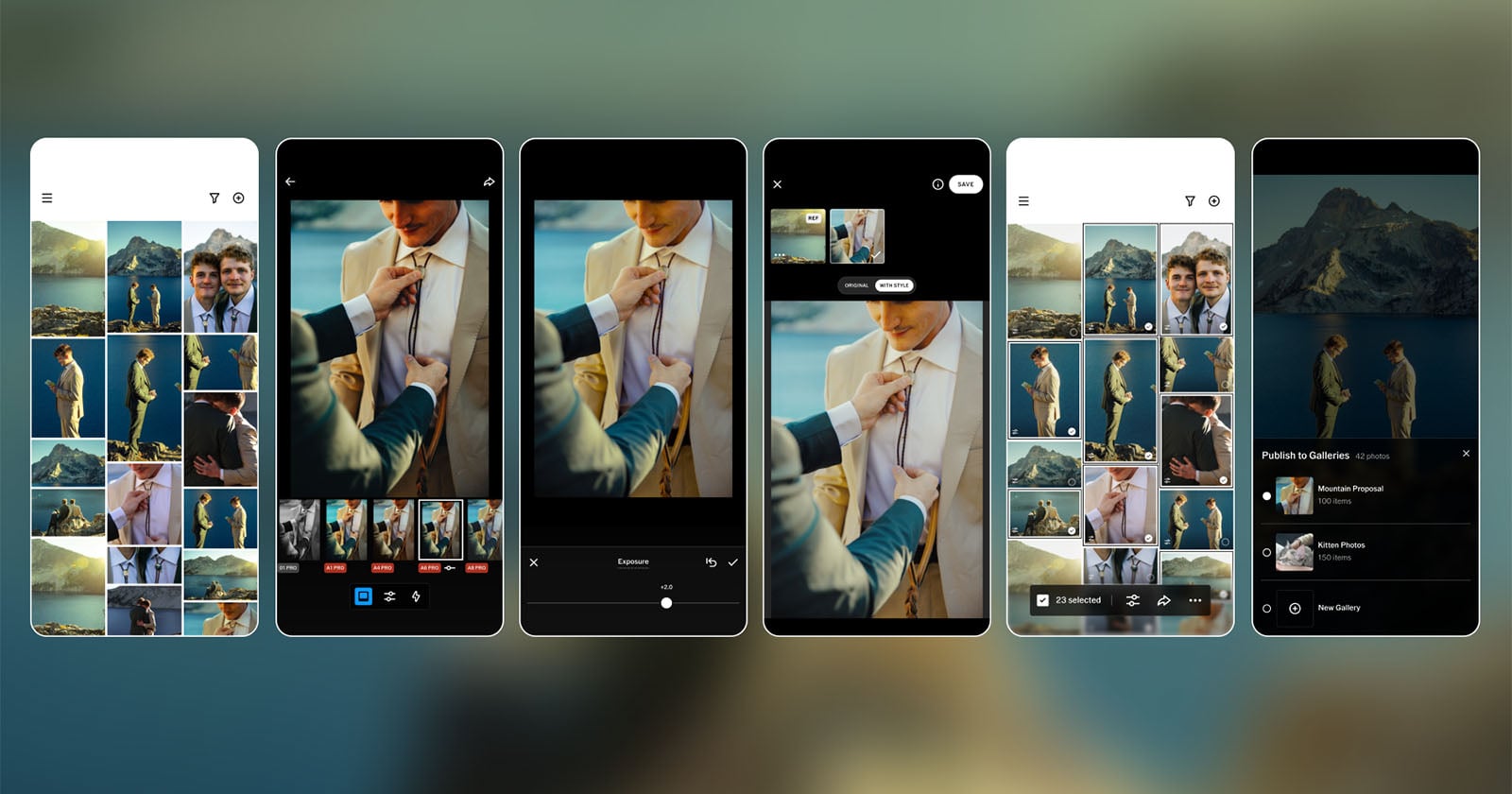
Spend any time editing a wedding or an event gallery and you know the drill: hundreds, sometimes thousands of frames, each one demanding the same careful tweaks. VSCO’s new Studio Pro, now live on iOS, is built precisely to break that grind, promising consistent, repeatable edits across massive batches of selects without chaining you to a screen.
The pitch is aimed squarely at high-volume shooters — wedding, portrait, event, sports and school photographers who routinely process enormous shoots. At launch, Studio Pro lets you edit up to 100 photos with a single tap, drawing on more than 200 VSCO presets alongside a proper set of manual controls. Those sliders cover exposure, contrast, film grain, white balance, tone, sharpening and more, so the app isn’t just a one-tap filter machine.
The headline feature is Style Match, an AI-driven tool that does the heavy lifting on consistency. Feed it an image you’ve already edited — or simply a photo that inspires you — and the app analyzes its color, tone and overall mood, then applies that look across a selected set of images. It’s the kind of thing that traditionally meant manually nudging every frame into agreement.
VSCO frames the problem bluntly: “Professional photographers often spend hours managing repetitive edits across hundreds or thousands of images after a shoot,” the company says, arguing that most mobile editors force a choice between speed and quality while lacking real professional workflow tools.
Beyond editing, the iOS release supports matching a batch of selects to a reference image and sharing finished work with clients through VSCO Galleries. That’s a genuinely useful loop for anyone delivering galleries on a deadline.
It’s worth being clear about what isn’t here yet. This first release skips several features serious pros will miss, including importing from memory cards and RAW file editing. VSCO says plenty is in development, though. The roadmap includes a macOS version due later this year, VSCO profile integration and instant publishing, auto-leveling and curve adjustments, advanced export options, RAW support, organization tools, manual culling with star ratings, and importing from attached media and cards.
That’s an ambitious list, and it signals VSCO’s intent to position Studio Pro as a complete workflow rather than a quick mobile touch-up app. As the company puts it, the goal is to combine “professional quality, full manual controls, and batch editing in a workflow fast enough to keep up with your ambition.”
VSCO Studio Pro is available now on iOS for free, but full feature access — including the complete preset library — requires a premium VSCO subscription. For photographers already inside the VSCO ecosystem, it’s an easy thing to try on your next big shoot.